The Buffering Truth: Making Sense of Wi-Fi in British Hotels

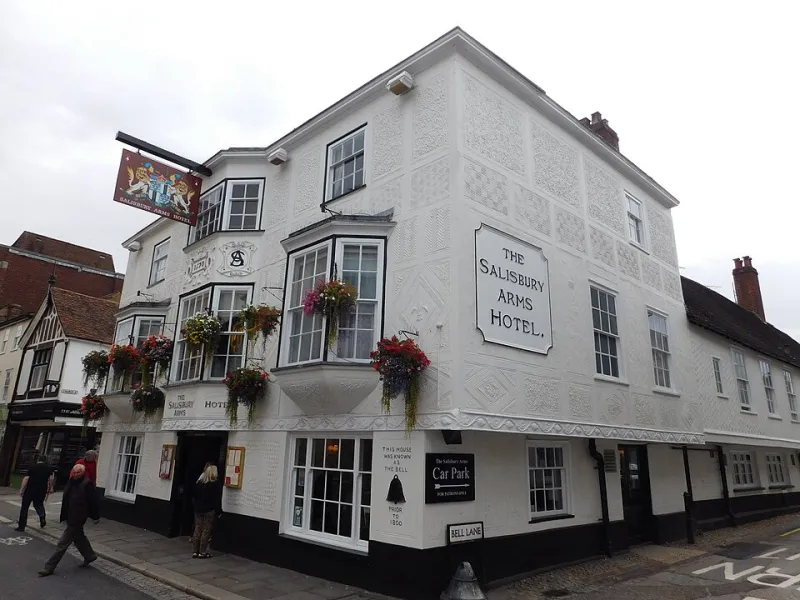
Photo: Oli Dale olidale, CC0, via Wikimedia Commons
There was a time, not so long ago, when hotel Wi-Fi was a novelty. You asked at reception, received a scrap of paper with a password written in biro, and felt lucky if the signal reached the top of the stairs. These days it is closer to a utility — like hot water or a working kettle — and yet the experience still varies wildly from one British hotel to the next. A snug room in a converted barn may stream faultlessly while a city-centre chain leaves you watching a spinning wheel. The trick is knowing what to check, what to ask, and when to stop fiddling and go downstairs.
First, Find Your Network (and Ignore the Decoys)
Open your laptop or phone in a hotel room and you will often see a small crowd of network names. Some belong to the hotel, some belong to nearby flats or businesses, and a few are the sort of open networks that are best left alone. The correct one is usually printed somewhere obvious: on the back of the bedroom door, on a small card beside the tea tray, or in the guest folder that lives by the kettle. If you cannot find it, the front desk will know. Ask for the exact network name as well as the password — not just the password — because 'PJHotel_Guest' and 'PJHotel_Guest_5G' are different things.
In older British buildings, thick walls and long corridors can make a difference. A room near the router or on a lower floor may get a stronger signal, though not always. If you are given a choice between two hotel networks, try the one marked for guests rather than the one labelled 'staff' or 'management'. It sounds obvious, but tired arrival brains have made stranger mistakes.
The Login Portal: A Masterclass in Patience
Many UK hotels use a captive portal — the web page that appears before you can get online. Sometimes it pops up automatically. Sometimes you have to open a browser and type in a simple address such as a hotel's homepage to trigger it. On a phone, the portal may appear as a 'Sign in to network' prompt. If nothing happens, try opening a plain website rather than an app; apps can bypass the prompt and leave you staring at a blank screen.
Have your room number and surname ready, as some portals ask for both. Others want the password from reception, an email address, or a tick in a box to accept terms and conditions. If the page freezes or loops back to the start, disconnect from the network and reconnect. It is also worth turning off any VPN for the initial login, as some portals refuse to load when one is active.
Testing the Water: Will It Carry a Call or a Film?
A connection that loads a weather page is not necessarily ready for a video call. Before you rely on it, run a simple test. Open a video on YouTube or the iPlayer and see whether it plays without constant buffering. For work, try a short call on Teams or Zoom with a colleague or friend and watch for lag, frozen frames, or that familiar robotic voice.
If the signal is weak in your room, try moving closer to the door or sitting at the desk rather than on the bed. Some hotels offer a wired connection at the desk, which can be steadier for work. If you have an important call, ask reception whether there is a quieter lounge or business corner with a stronger signal. In a rural hotel, the bottleneck may be the broadband line itself rather than the Wi-Fi, so a better position in the building may not help much.
Security Basics That Actually Matter
Hotel Wi-Fi is convenient, but it is still a shared network. Keep the essentials simple: use a password manager, avoid logging into banking apps on an open network if you can wait, and check that websites show the padlock symbol before entering details. If you have a VPN provided by your employer, use it for work. Otherwise, your phone's mobile data can be a sensible backup for anything sensitive. None of this needs to be dramatic. A little caution goes a long way, especially in a busy city hotel where the network may be used by dozens of guests at once.
When the Signal Dies: A Calm Troubleshooting Order
Before you ring reception, try the basics in order. Turn Wi-Fi off and on again. Forget the network and rejoin it. Restart your device. Move to a different spot in the room. If you are on a laptop, check that you have not accidentally connected to a nearby network with a similar name. If the portal has timed out, open a fresh browser window and try again.
If none of that works, call reception with specific information: your room number, the network name, and what happens when you try to connect. 'It is not working' is harder to solve than 'the portal loads but rejects my room number'. Hotels would much rather fix a small issue early than have you leave a grumpy review about something they could have sorted in five minutes.
Before You Book: Questions Worth Asking
If staying connected matters — for work, for family calls, or for a quiet evening film — ask before you book. Is Wi-Fi included, or is there a charge? Is it available in all rooms, including the top floor? Is there a wired connection at the desk? And if you are staying in a rural area, does the hotel know its typical speeds? A quick email or phone call can save a lot of frustration later. It is also fair to ask whether the connection supports video calls, as many hotels now understand that guests may be working as well as relaxing.
The Bottom Line
Hotel Wi-Fi in Britain is often good and occasionally maddening. The best approach is a mix of preparation and patience: find the right network, read the portal instructions properly, test the connection before you depend on it, and keep your security sensible. If it does falter, a calm word at reception is almost always more effective than a heroic solo troubleshooting session. After all, you came away for a comfortable stay, not a part-time job as a network engineer.